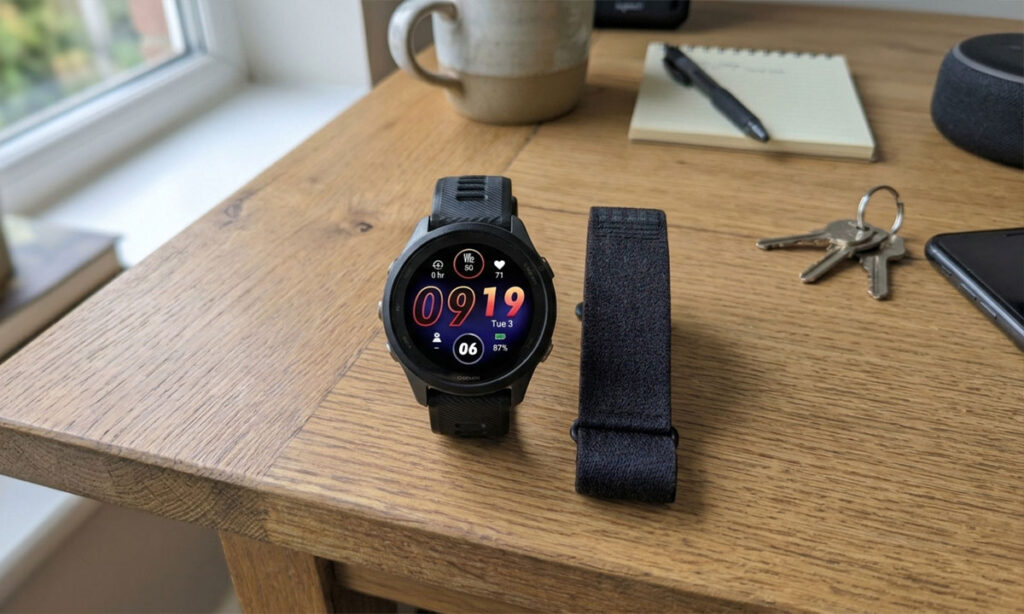
You already own a Forerunner. It tracks your runs, your sleep and your HRV, and it buzzes at you when you’ve been sitting too long. Then Garmin launched a band with no screen and half your running group started wearing one to bed. Now you’re wondering if you’re missing something, or if two Garmin devices just means two sets of numbers arguing in the same app. Here’s how a Garmin CIRQA with Forerunner setup actually works.
TL;DR: The two devices are built to work together, and Garmin Connect merges their data into one account. The catch is that Connect needs you to tell it which device to trust for what, and getting that wrong is behind most of the weird numbers people post about. Whether the band is worth it depends less on the data and more on how much you hate sleeping in a watch.
Key takeaways
- Your Forerunner should own workouts and training load. The CIRQA should own sleep and daily health.
- Set the watch as Primary Training Device and the band as Primary Wearable in Garmin Connect.
- Start every workout on the watch. Pressing the CIRQA button too is the fastest route to duplicates.
- Most syncing problems so far have known workarounds, but a few are still open bugs.
- For most Forerunner owners the CIRQA is a comfort upgrade, not a data upgrade.
How the Garmin CIRQA and a Forerunner split the work
Using a Garmin CIRQA with Forerunner works best when each device has one job. The watch handles training. The band handles everything between sessions, especially sleep. Garmin Connect then stitches both into one profile, so your training status, HRV and Body Battery live in the same place no matter which device collected them.
Here’s the part that surprised me. Garmin’s own product manager said in an interview with Forbes that wearing both during a workout offers no real advantage, because Connect only counts one device’s data for an activity (Notebookcheck has the summary). So the band on your other wrist during a tempo run isn’t adding a second opinion. It’s mostly along for the ride.
That makes the split pretty simple:
| Data | Best source | Why |
|---|---|---|
| Workouts | Forerunner | Built-in GPS, a screen, laps and structured workouts |
| Training load | Forerunner | Comes from the workouts it records |
| VO2 max | Forerunner | Needs GPS runs with good pace data |
| Sleep | CIRQA | Lighter, so you actually wear it to bed |
| HRV Status | CIRQA | Overnight data, every night |
| Body Battery | CIRQA | Needs 24/7 wear to stay honest |
| Steps | Whichever you wear most | Set by Primary Wearable |
The CIRQA can record workouts on its own. It just isn’t great at it next to a watch. It has no GPS chip (it borrows your phone’s), no screen, and manual laps plus guided workouts sit behind a Connect+ subscription. If you’re the kind of person who checks pace every 400 metres, that’s a dealbreaker. I am that person.
Primary Wearable vs Primary Training Device
These two settings in Garmin Connect decide who wins when both devices have an opinion. Garmin’s manual describes them like this:
- Primary Training Device is the priority source for training metrics such as training status and load focus.
- Primary Wearable is the priority source for daily health metrics such as steps and sleep. Garmin says it should be the device you wear most.
For most people the right setup is the Forerunner as Primary Training Device and the CIRQA as Primary Wearable. If you wear one device for everything, just set it for both. The steps are in the next section.
Get these backwards and you’ll usually see Connect and your watch labelling the same session differently, or a training status that seems to belong to a different athlete. Not dangerous. Just confusing at 6 a.m.
What if you only wear the CIRQA at night?
Some people wear the Forerunner all day and swap to the band for sleep. That works too. In that case the watch is technically the device you wear most, so either choice for Primary Wearable is defensible. In practice, I’d still pick the CIRQA if you wear it every single night, since sleep and HRV are the main reasons you bought it. If you only wear it some nights, leave the watch as primary and treat the band as a backup.
How to set up Garmin CIRQA with your Forerunner
Pair the CIRQA in Garmin Connect like any other device, then work through this once. It takes a couple of minutes, and it heads off most of the problems further down.
- Open Garmin Connect, tap the menu, then Settings.
- Find the device priority settings. Depending on your app version, they sit under Device Priority or Unified Training Status.
- Set Primary Training Device to your Forerunner.
- Set Primary Wearable to the CIRQA, if it’s the thing you wear most.
- Decide on auto-detection. If every workout gets recorded on the watch, turn it off under Menu > Garmin Devices > CIRQA > Health & Wellness > Auto-Detected Activities.
- Sync both devices, then check the next morning that sleep came from the band and yesterday’s run came from the watch.
That last step is the one people skip. One morning of checking beats three weeks of wondering why your training status looks off.
Duplicate activities and how to avoid them
This is the most common complaint, and the fix is boring. Start every workout on your Forerunner, and never press the CIRQA button for the same session. Two devices recording the same run will happily upload two runs.
Auto-detection is the wild card. The CIRQA tries to spot workouts on its own. In the5krunner’s testing, auto-detection usually didn’t fire at all when a Garmin watch was also being worn, which is mostly good news here. Owners report fewer doubles from auto-detected sessions than from manually started ones. Fewer isn’t zero, though.
If you record every workout on your Forerunner anyway, the cleanest fix is to switch auto-detection off on the band. Garmin’s CIRQA manual puts it under Menu > Garmin Devices > CIRQA > Health & Wellness > Auto-Detected Activities. The trade-off: walks, gym sessions and anything else you do without the watch won’t get logged automatically. If you’d rather keep it on, just delete the odd duplicate.
If a duplicate slips through:
- Delete the CIRQA copy in Garmin Connect, and keep the watch version since it has GPS and lap data.
- Check Strava too. Both copies may have already synced there, and deleting one in Connect doesn’t always remove it from Strava.
- Do it the same day. A duplicate left sitting there can nudge your training load higher than it should be.
Using the CIRQA as a heart rate strap for your Forerunner
This is the one workout job where the band earns its spot. The CIRQA can broadcast heart rate over ANT+ and Bluetooth, and your Forerunner picks it up like any external sensor. Turn it on in Garmin Connect under Garmin Devices > CIRQA > Health & Wellness > Broadcast Heart Rate. While you’re there, switch on Device Control. That’s what lets you start or stop broadcasting by holding the band’s button for three seconds (the light flashes yellow). Without it, holding the button just won’t do anything. The watch still records the activity, so there’s nothing to duplicate.
Where you wear it matters. Both the5krunner and DC Rainmaker found the band lagged on the wrist at the start of short, hard intervals, then matched a chest strap closely when moved to the upper arm. Garmin sells an arm band for it, roughly US$59.99, but it’s not in the box. If you want the longer version of why wrist sensors struggle with intervals, I broke it down with my own data in wrist HR vs chest strap.
One trade-off: broadcasting drains the battery faster. Garmin says so in the manual, and at least one owner reported getting under two days with it left on constantly. Turn it off when the session ends.
Garmin CIRQA syncing problems and data gaps
The launch was a bit rough, but Garmin has been shipping fixes. Firmware 2.50 landed in August, 3.20 in September, and 4.20 started rolling out in October (the5krunner has the 4.20 notes). A lot of early bugs are gone. These four are the ones Forerunner owners still mention most. Treat them as reported issues, not things everyone will hit.
Heart rate stops after charging
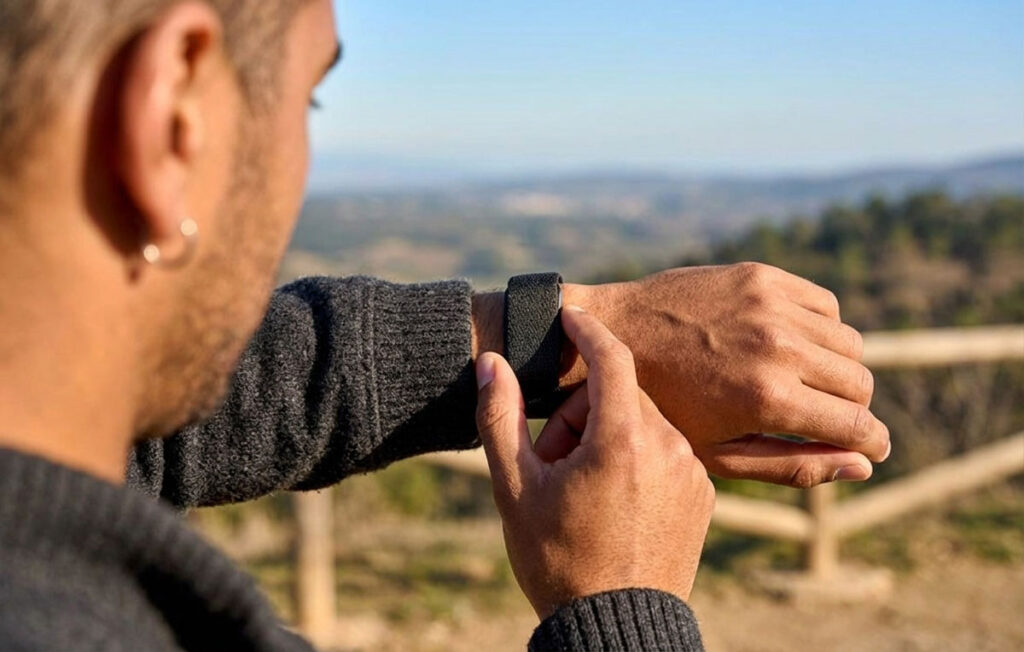
After a charge, the optical sensor sometimes doesn’t come back on, even though the app shows the band as connected. The workaround is to power the band off from the Garmin Connect app, then turn it back on with the button. The 4.20 release notes don’t mention this one, so glance at your heart rate graph the morning after you charge.
A workout disappears after you tap End
If you start an activity from the CIRQA button and Garmin Connect later shows an “Activity in Progress” prompt, tapping End has wiped some workouts completely. Garmin’s suggested workaround is to tap Resume, open the recording screen, then stop and save from there. Easier still: start the workout on your watch and this never comes up.
HRV Status resets when switching devices
A handful of owners, including one on a Forerunner 970, report losing their HRV Status after moving overnight tracking to the CIRQA. It’s not something every user sees. But HRV Status needs a few weeks of nightly data to build a baseline, so pick one overnight device and stick with it. Swapping every few nights is a good way to never have a baseline at all. My HRV training guide covers why the baseline matters more than any single morning number.
Data from the wrong device, or no sync at all
When your watch is on and in range, Connect can pull heart rate or steps from it instead of the band. Most of the time that’s just the Primary Wearable setting doing its job, so check that first. If the band stops syncing in the background, the culprit is usually your phone. Some Android phones kill apps to save battery, so exempt Garmin Connect from battery optimisation.
Is the CIRQA worth it if you already own a Forerunner?
Honest answer: for the data, mostly no, with one exception. A Forerunner 265, 570 or 970 already gives you sleep tracking, HRV Status, Body Battery and Training Readiness. The exception is overnight skin temperature, which the 570 and 970 track but the 265 doesn’t. Beyond that, the CIRQA gives you a lighter thing to sleep in, a way to wear a normal watch during the day without losing Garmin data, and an arm-worn heart rate sensor that doesn’t chafe like a chest strap.
That can absolutely be worth CA$279.99 (US$199.99). Just know that’s what you’re paying for. If you want the bigger picture on screenless trackers, I compared it with Whoop and Fitbit Air in CIRQA vs Whoop vs Fitbit Air.
| Watch | What CIRQA adds |
|---|---|
| Forerunner 265 | Comfortable sleep tracking, skin temperature, an arm-worn HR option |
| Forerunner 570 | Mostly comfort, 24/7 wear and an arm-worn HR option |
| Forerunner 970 | Mostly comfort and convenience |
Forerunner 265
This is where I sit, and it’s the strongest case of the three. The 265 doesn’t track skin temperature, so the band adds a metric you genuinely don’t have, on top of a lighter thing to sleep in. If you were already eyeing an upgrade, though, price that out first. A 570 gets you skin temperature plus a better training watch. The band mostly improves your nights. I went through what the 570 actually adds in Forerunner 265 vs 570.
Forerunner 570
Same logic, with one difference: the 570 is newer and you’re less likely to upgrade soon. So the band is a cleaner add-on here. The main reasons to buy are comfort, battery anxiety, and arm-worn heart rate for intervals.
Forerunner 970
The weakest case. The 970 already does almost everything, including a few things the band doesn’t. Buy the CIRQA only if the watch genuinely bothers you at night or during the workday. And given the HRV reset reports, commit to one overnight device rather than switching back and forth.
Who should buy it
- You don’t sleep in your watch, or you take it off as soon as you get home.
- You wear a regular watch to work and still want Garmin tracking the rest of the day.
- You want better interval heart rate without a chest strap. Budget for the arm band.
Who should skip it
- You already sleep in your Forerunner without thinking about it.
- You’re hoping for more accurate numbers. You’ll mostly get the same numbers from a different wrist.
- Charging two devices sounds like a chore. It is, a little.
Some links below are affiliate links. If you buy through them, Even Splits Lab earns a small commission at no extra cost to you. It helps keep the calculators free.
Check the Garmin CIRQA on Amazon
Quick questions
Usually, yes. Reviewers report it uses the same four-pin charger Garmin has used on its watches for years. One less cable in the bag.
No. Recording and viewing your data is free. Connect+ only matters if you want to start manual laps or guided workouts on the band itself, and with a Forerunner on your wrist you won’t need to.
Yes, activities sync through Garmin Connect like any other Garmin device. Strava just doesn’t show the CIRQA as the recording device, so a stray duplicate can be harder to spot. Another reason to record on the watch. If you’re still choosing a watch for multisport, my GPS watch for triathlon guide is the place to start.