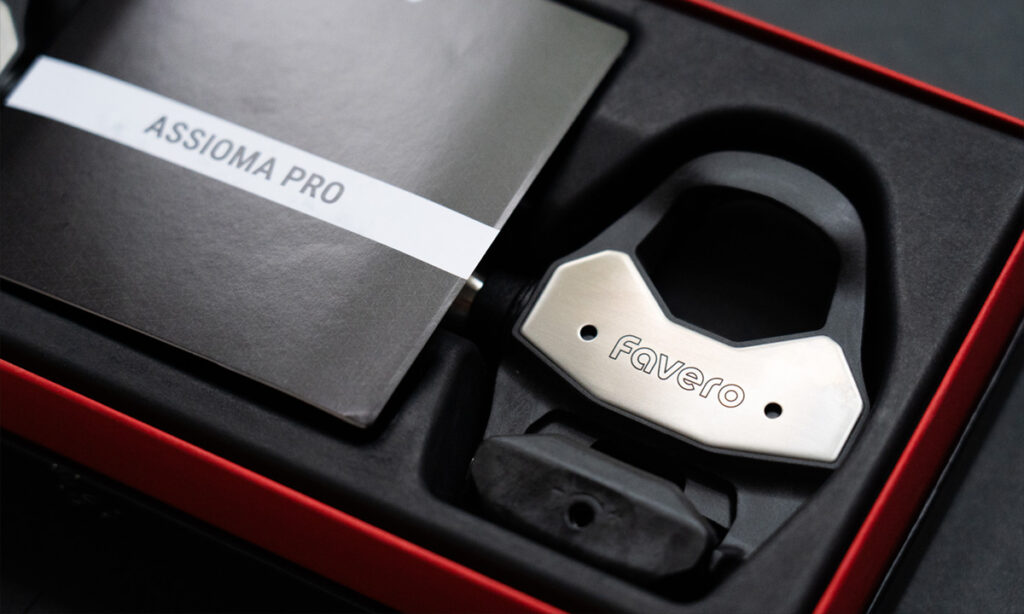
I bought the Favero Assioma Pro RL to put on my triathlon bike for a couple of specific reasons. My road bike is already running Look Keo pedals, and switching to a different cleat standard would have meant keeping two sets of shoes. A crank-based power meter wasn’t the right fit either, because with pedal-based power meters you can move them between bikes without a tool change and without being locked to one crankset. The Assioma Pro RL checked both boxes at a price that was easy to justify. This is the straightforward account of what buying and installing one actually looks like: what came in the box, what install was like, and whether it’s worth the money. Short version: yes, and at this price it’s hard to argue against, which is really what this Favero Assioma Pro RL review comes down to.
TL;DR
The Assioma Pro RL is straightforward to live with once it’s installed, and the battery life jump over Favero’s own entry-level option is genuinely big. The price makes it an easy recommendation, with one small install detail worth knowing before it arrives.
Key Takeaways
- Single-sided Pro RL currently runs $499 CAD in Canada (regularly $649), with a clean upgrade path to dual-sided later
- Installation uses a 15mm pedal wrench, not a hex key, and a crowfoot adapter if you’re using a torque wrench
- It’s Look Keo compatible only. If you ride Shimano SPD-SL or SPD, that’s a different Favero pedal entirely.
- Battery life is rated up to 160 hours, well past Favero’s own single-sided Assioma UNO at 50+ hours
- Setup takes a few minutes, but crank length is the one setting that will quietly throw off your data if you skip it
What I actually bought, and why single-sided
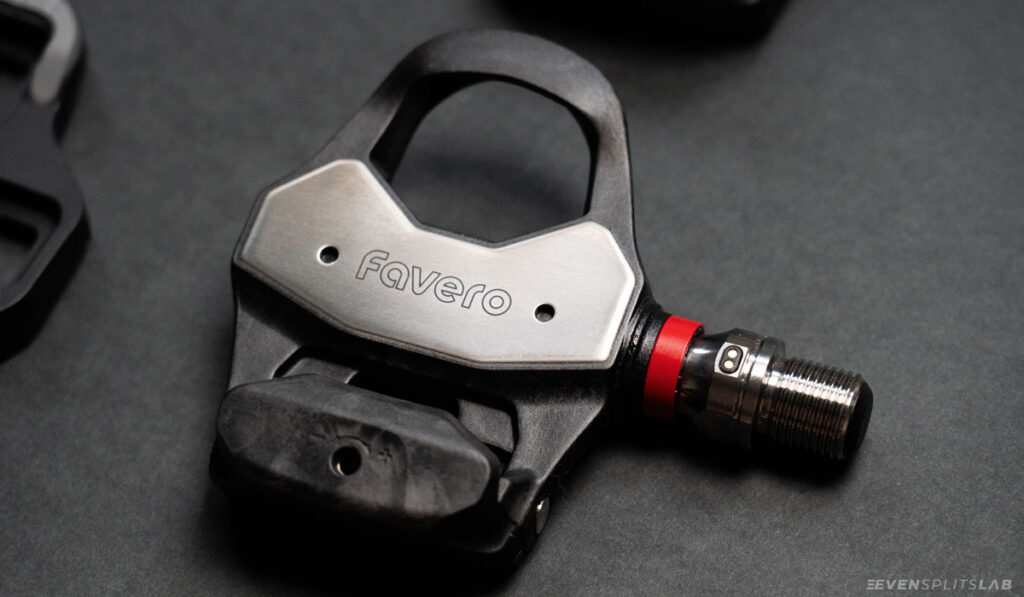
I went with the Pro RL-1, the single-sided version, at $499 CAD. That’s on sale off a $649 regular price as of writing, so don’t take that number as gospel if you’re reading this months from now. Worth checking the current price before you buy.
Favero sells an upgrade kit that turns the single-sided pedal into a full dual-sided setup later, just by pairing a new right pedal through the app. I liked that there was a real upgrade path rather than a forced either/or decision, so the cheaper option didn’t feel like a dead end. Left-only data, doubled to estimate total power, is genuinely fine for most riders. You’re not losing real insight unless you’ve got an asymmetry you’re specifically trying to track, like coming back from a one-sided injury.
What’s in the box
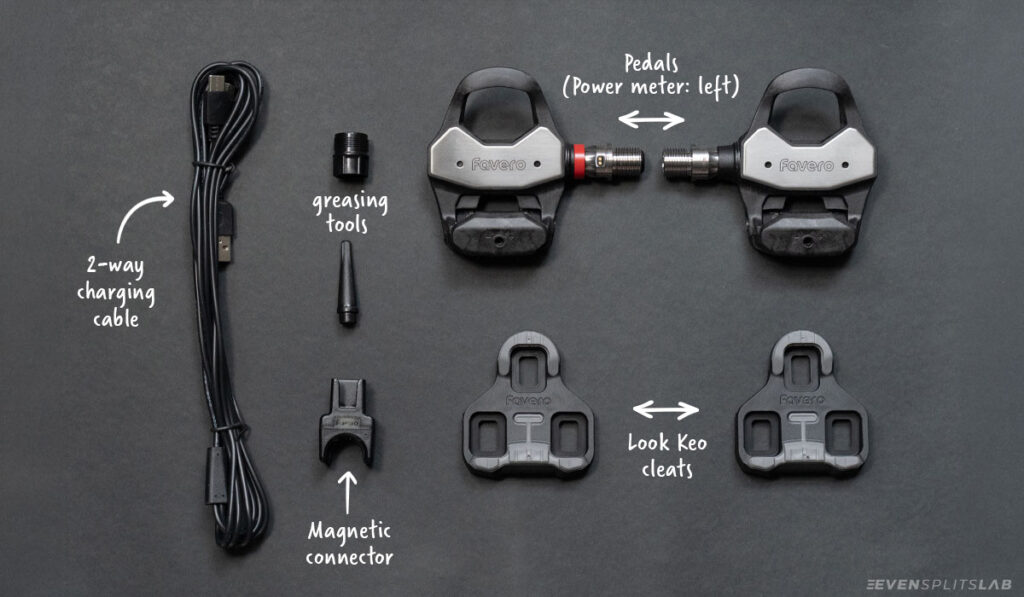
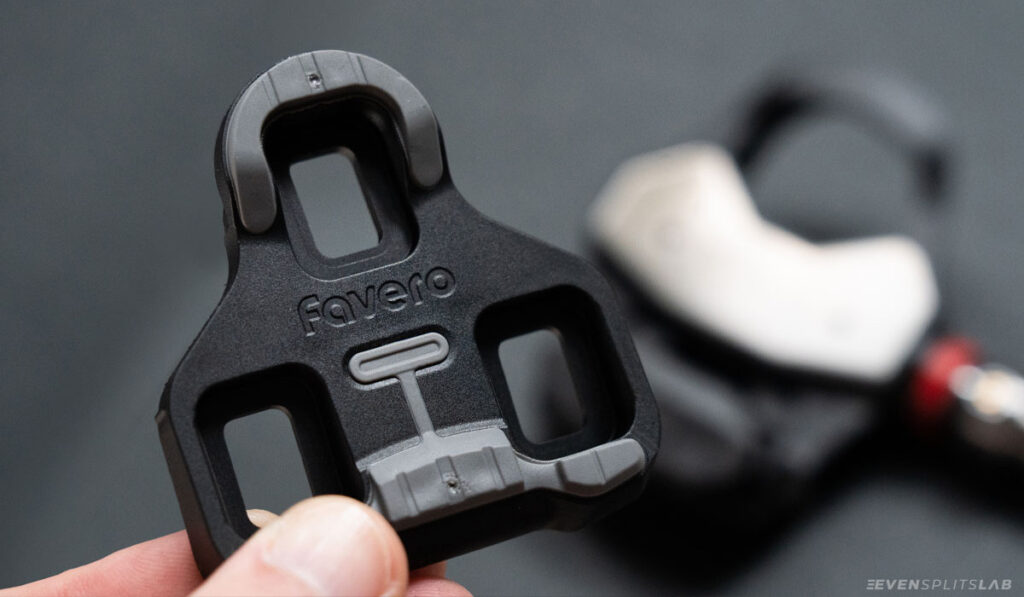
Two pedals (only the left one has the actual power sensor on the single-sided version), a set of Favero-branded Look Keo cleats, the mounting hardware for the cleats plus a set of two washers for the pedals themselves, a two-way charging cable, small grease tools for the spindle threads, and a magnetic connector for charging. The charging connector is Favero’s own proprietary attachment, not a generic USB-C clip, so it’s specific to these pedals rather than something you’d already have lying around.
The thing that surprised me, coming from a normal pedal, is how much electronics are now packed straight into the spindle itself rather than in a separate pod hanging off the side. There’s no bump or pod sticking out. It just looks like a pedal.
The tool situation
The Assioma Pro RL doesn’t take a hex key. You need a 15mm open pedal wrench, and Favero recommends installing to a specific torque. I have a torque wrench already, but not the crowfoot adapter that lets it work on a pedal spindle, so I ended up tightening by feel instead. Not a disaster, just worth knowing ahead of time so you’re not figuring it out with the pedals already in hand. If you’ve got a full set of bike tools already, double check the crowfoot adapter is in there, because a regular hex-key setup won’t get you anywhere with this pedal.
Setup: the one setting that actually matters
The app pairing itself is quick. Download the Favero app, let it find the pedals over Bluetooth, walk through the firmware update if one’s waiting, and you’re most of the way there in a few minutes.
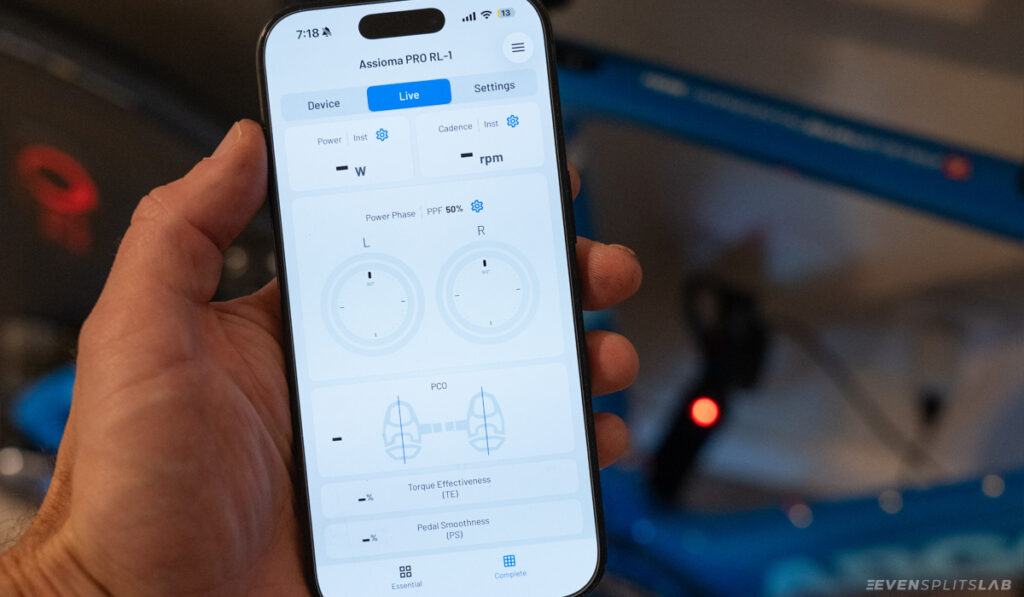
The setting that’s easy to skip and will quietly throw your numbers off is crank length. It’s printed on the inside of your crank arm near the pedal spindle, and you need to set it correctly in your Wahoo, Garmin, or whatever head unit or watch you’re pairing to. If your bike computer and your power meter disagree on crank length, your power numbers can be off in ways that aren’t obvious until you start comparing rides. It’s a small thing to verify and an annoying thing to debug after the fact, so just check it twice during setup instead.
Look Keo Pro vs. the Look Keo 2 Max it’s replacing
I’d been riding Look Keo 2 Max pedals before this, so the side-by-side comparison was the thing I was most curious about myself. Visually, the Favero pedal body is noticeably wider with more surface area than the Keo 2 Max, while landing at the same 130g weight including the power sensor. More platform for the same weight is a fair trade in my book.
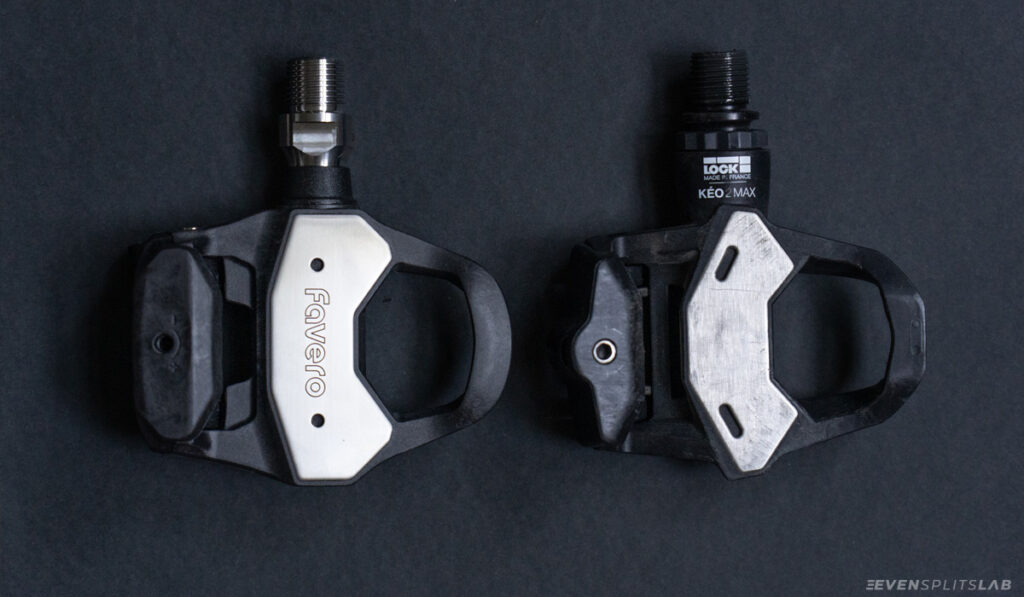
The cleats that come in the box are Favero-branded but built to the Look Keo standard, not some proprietary shape. If you’re already running Look cleats on your shoes, the transition is just a pedal swap, not a shoe or cleat overhaul. One thing worth being clear about: this pedal is Look Keo compatible only. Favero makes separate pedals (the Pro RS line) for Shimano SPD-SL riders and another (Pro MX) for SPD, so if you’re not already on Look cleats, this specific model isn’t the one to buy.
Release tension adjustment
The Pro RL lets you adjust how much force it takes to unclip, using a 3mm hex key on the adjusting bolt on the pedal body. I left mine at the factory default and had no issues from the first ride. If the release feels too stiff or too easy, a few turns of the bolt sorts it out. Worth testing unclipping a few times before heading out, just to make sure the tension feels right for you.
Battery life and charging
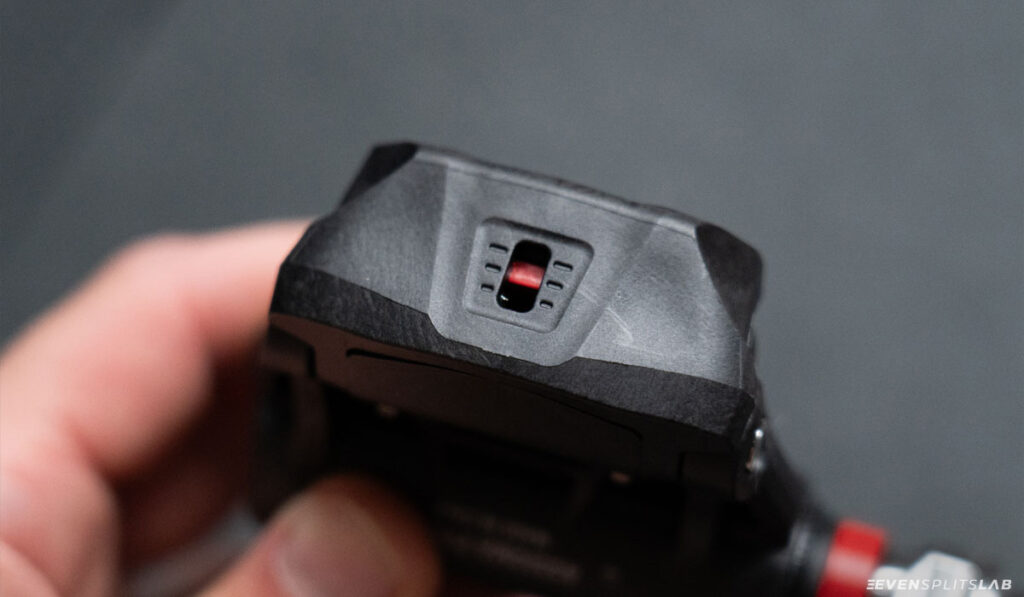
Favero rates the Pro RL at up to 160 hours per charge, compared to 50-plus hours on their own single-sided Assioma UNO. That’s a real jump if you’ve been topping up a power meter every few rides. For most people training a handful of times a week, that’s closer to a once-a-month charge than a once-a-week one.
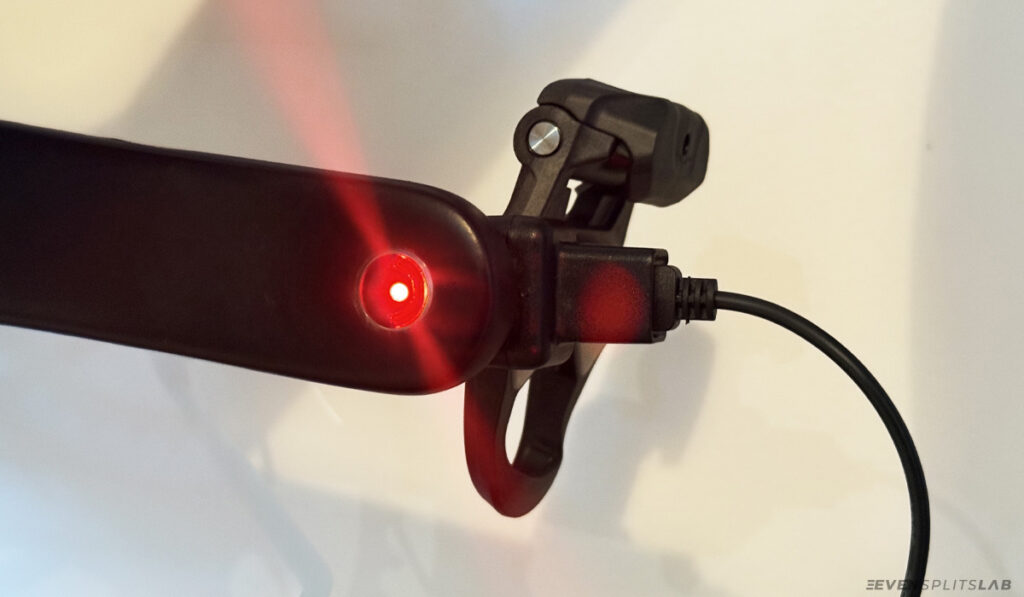
Charging is the magnetic clip plus the two-way cable, both pedals at once if you want. It’s not fast-glance obvious how much charge is left without opening the app, so I’d treat the 160-hour figure as a reason to charge proactively before a big week rather than waiting for a low-battery warning mid-ride.
Is the upgrade path to dual-sided worth planning for
If you’re on the fence between single and dual-sided, the fact that Favero sells a direct upgrade kit rather than forcing you to rebuy the whole set later is a genuinely good reason to start single-sided. You’re not locking yourself out of left/right balance data down the line, you’re just deferring that cost until you actually want it. For most self-coached athletes, left/right balance isn’t something you’ll act on day one anyway. It’s a nice-to-have, not a need-to-have, until you’ve got a specific reason to care about it.
Questions and Answers
Do I need a torque wrench for the Assioma Pro RL?
You need a 15mm pedal wrench at minimum, since the spindle doesn’t take a hex key. A torque wrench with a crowfoot adapter gets you to Favero’s specified torque exactly, but isn’t strictly mandatory. Worth checking Favero’s current installation guide for the exact figure before you tighten, rather than going by feel if precision matters to you.
Can I switch from single-sided to dual-sided later?
Yes. Favero sells a separate upgrade kit that adds a right-side power sensor and pairs to your existing left pedal through the app, so you’re not buying a whole new set if you decide you want full dual-sided data down the line.
Will the Favero cleats work in my existing Look pedals, or vice versa?
The Pro RL uses the Look Keo cleat standard, so cleats already mounted to your shoes for Look Keo pedals should carry over without a shoe change. This applies to the Look-compatible Pro RL specifically. Favero’s SPD-SL and SPD pedals use different cleat standards entirely.
Related Posts
If you’re still building out the basics before spending on a power meter, Triathlon on a Budget: The Minimum Gear You Actually Need covers what to prioritize first. And if you’re upgrading your bike piece by piece rather than all at once, Best Road Bike Upgrades is the natural next read.
Sources
Favero Cycling, official Assioma PRO RL product and specification page.